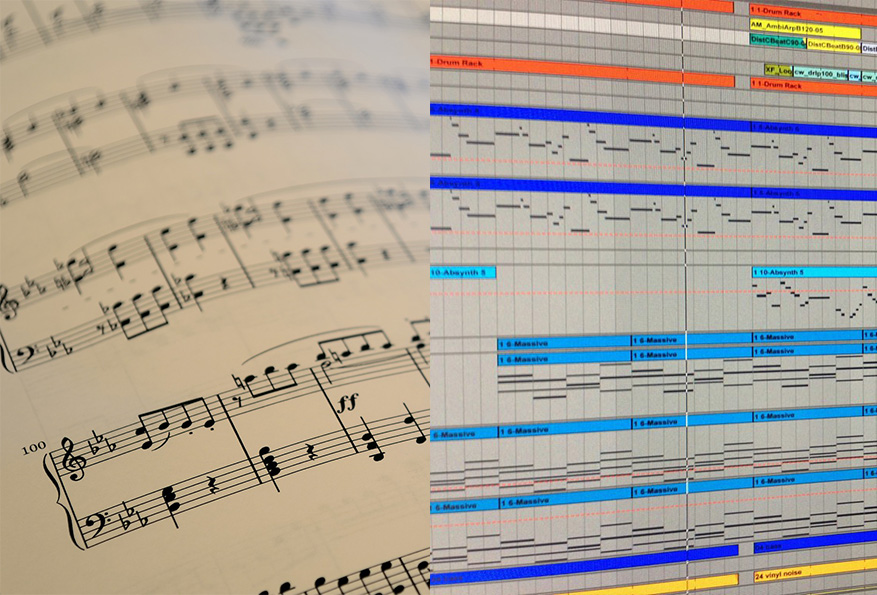

You have sheet music. You need it in your DAW. You can’t sight-read well enough to record it live, and programming notes by hand into a piano roll takes hours.
A PDF to MIDI converter bridges that gap. But most of them don’t work the way you expect.
What Do Most PDF to MIDI Tools Get Wrong?
The most common approach is direct PDF-to-MIDI conversion. The tool scans the image, guesses at pitches, and outputs a MIDI file. It sounds simple. It rarely works cleanly.
Direct conversion skips too much. MIDI is a minimal format — it stores notes and velocities, nothing else. When a tool converts straight from PDF to MIDI, it loses time signatures, key signatures, articulations, and dynamics. What you get is a flat sequence of notes with no musical context.
Worse, recognition accuracy on most direct converters is poor. Accidentals, tuplets, ties, and slurs all trip up basic image-parsing tools. You end up with a MIDI file that needs more fixing than building from scratch.
Turning a PDF into MIDI sounds like one step. The tools that skip the middle step are the ones that get it wrong.
What Does a Good PDF to MIDI Converter Actually Do?
The better approach uses an intermediate format. Instead of jumping straight from image to MIDI, a quality tool goes PDF -> MusicXML -> MIDI. That extra step preserves far more musical data. Here’s what matters in a tool worth using.
Accurate Optical Music Recognition
The whole process starts with reading the score correctly. A pdf to midi converter that misses accidentals or garbles tuplets hands you a MIDI file full of wrong notes. You’d spend more time fixing it than entering the notes manually.
Recognition accuracy determines everything downstream. The higher the accuracy, the less cleanup you do in the piano roll.
MusicXML as the Intermediate Step
MIDI doesn’t preserve structure. MusicXML does. When you convert PDF to XML first, you retain time signatures, key signatures, articulations, and dynamics. Then you convert that MusicXML to MIDI using your DAW or a notation app like MuseScore.
The result is a MIDI file with correct timing, velocity nuance from dynamics, and proper rhythmic structure. It’s a stronger starting point for production than anything a direct converter produces.
Handles Complex Notation
Real printed scores contain chord voicings, dotted rhythms, accidentals, and multi-staff parts. A tool that breaks on anything beyond quarter notes in 4/4 is useless for most sheet music.
If your source material is a piano reduction or an orchestral arrangement, the tool needs to handle that complexity without dropping notes or collapsing staves.
DAW Compatibility via the Full Chain
MusicXML imports into MuseScore, Finale, and Sibelius. From any of those, you export MIDI. Every major DAW accepts MIDI. The chain is: PDF -> MusicXML -> notation app -> MIDI -> DAW.
Knowing this path lets you pick tools that fit each step, rather than searching for an all-in-one converter that handles none of it well.
How Do You Apply These Tips in Practice?
Use a notation app as the bridge. Don’t look for a direct PDF-to-DAW converter. The cleanest path is to convert pdf to xml first, then open the result in MuseScore and export to MIDI from there. This gives you the most control at each stage.
Check the score in MuseScore before exporting MIDI. After import, scan through the notation visually. Catching a misread bar now is faster than hunting a wrong note buried in a 96-bar piano roll.
Set velocities from dynamics after import. MIDI exported from MusicXML often maps dynamic markings to velocity values. Verify these match the feel of the piece before committing to a mix.
Quantize carefully in your DAW. Sheet music is written in idealized rhythms. MIDI from a score file is exactly quantized. If you want humanization, add it intentionally rather than fighting the rigidity.
Keep the original PDF. If something gets garbled in the conversion chain, you need to compare the final piano roll against the source page by page.
Frequently Asked Questions
Why does direct PDF-to-MIDI conversion produce poor piano roll results compared to going through MusicXML?
Direct conversion skips the structural middle step: MIDI stores only notes and velocities, so converting straight from PDF to MIDI loses time signatures, key signatures, articulations, and dynamics. What you get is a flat sequence of notes with no musical context, and recognition accuracy on most direct converters is also poor — accidentals, tuplets, ties, and slurs trip up basic image-parsing tools, leaving a MIDI file that needs more fixing than building from scratch. Going through MusicXML first preserves the full score structure, and the MIDI exported from a notation app using that MusicXML has correct timing, velocity nuance from dynamics, and proper rhythmic structure.
What does the correct PDF to MIDI converter workflow look like for DAW producers?
The cleanest path is PDF to MusicXML first, then opening the MusicXML result in a notation app like MuseScore and exporting MIDI from there — giving you a clean, verified file to build from in the DAW. Look for accurate optical music recognition (95% or higher) that handles chord voicings, dotted rhythms, accidentals, and multi-staff parts, plus MusicXML as the output format since it imports into MuseScore, Finale, and Sibelius and from any of those you can export MIDI that every major DAW accepts. The chain is PDF → MusicXML → notation app → MIDI → DAW.
How do you handle quantization and dynamics when importing a converted score into a DAW?
After importing to the notation app, scan through the notation visually to catch any misread bars before moving to the DAW — a wrong note caught in the score is faster to fix than hunting it buried in a piano roll. MIDI exported from MusicXML often maps dynamic markings to velocity values: verify these match the feel of the piece before committing to a mix. Sheet music is written in idealized rhythms so the MIDI will be exactly quantized — if you want humanization, add it intentionally in the DAW rather than fighting the rigidity, and keep the original PDF to compare against if something gets garbled in the conversion chain.
Producers Who Can’t Read Music Are Closing the Gap
Manual note entry from a printed score used to require real sight-reading ability. Producers who couldn’t play a part in real time were stuck programming it note by note — slowly.
Accurate recognition tools change that. You feed in the sheet music. The tool reads it. You get a MIDI file close enough to work with immediately. The remaining edits are edits, not transcription.
That’s the real use case. Not replacing musicians — replacing the bottleneck that stopped non-readers from using printed scores as source material.
The gap between “I have this sheet music” and “I have a piano roll” is now a conversion step, not a skill barrier.